|
The smart choice for all-purpose 2D / 3D CAD
You will benefit from more than 250 professional level drafting and 2D / 3D design tools. With the help of this program you can quickly create home plans, technical drawings, mechanical designs, artistic illustrations, crafts, and more.
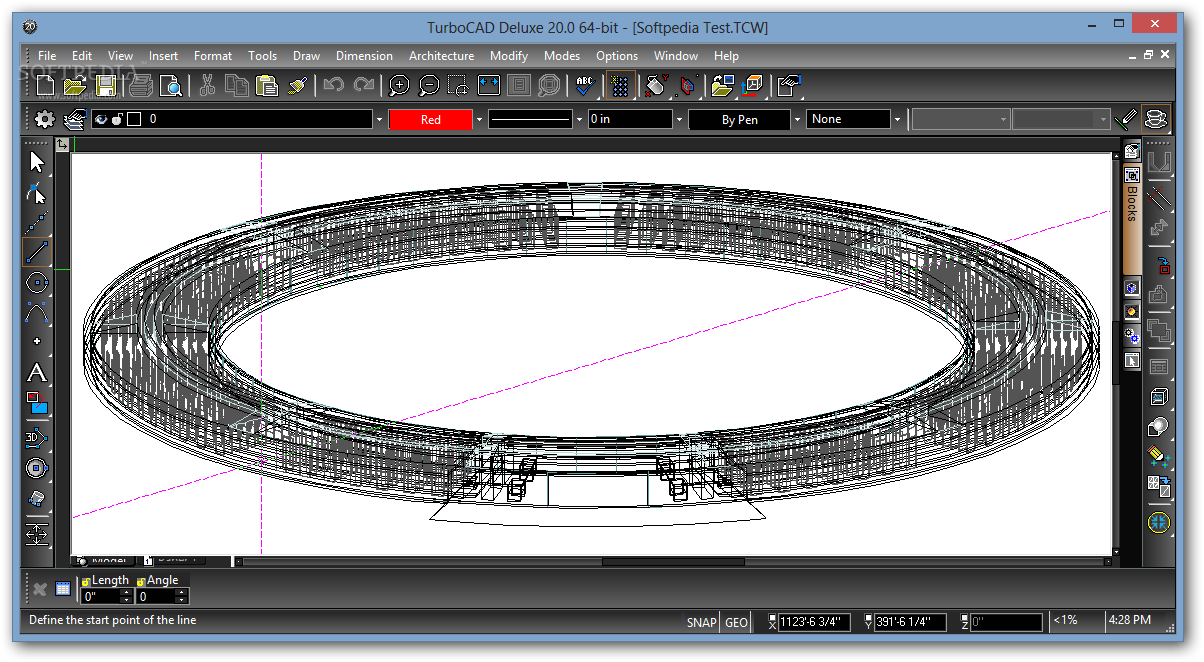
With TurboCAD Deluxe your options are unlimited. Hundreds of professional drafting and design tools, incredible file support, video and interactive tutorials, photorealistic rendering and drag-and-drop symbols provide everything you need to create presentation-ready home plans, technical drawings, mechanical designs, artistic illustrations, crafts, school projects and more.
TurboCAD is fully compatible with all these programs and file formats:
· 3DS - 3D Studio
· BMP - Windows Bitmap
· DGN - Intergraph, Microsation
· DWF - AutoDesk(r) Drawing Web Format
· DWG - AutoCAD Native Format
· DXF = Drawing Exchange
· GIF - Graphics Interchange
· JPG - JPEG
· PLT - Hewlett Packard Graphics Language
· PNG - Portable Network Graphics
· TCW - TurboCAD Native Format
· WMF - Windows Metalife
· WRL - VRML Worlds
· WRZ - VRML Worlds
Use it for:
· Woodworking
· Jewelry
· Quilting Patterns and Pattern Designs
· Stained Glass
· Deck Plans
· Toy Models
· Garden Planning
· Doll Houses
NOTE:
For the free trial code you need to register here.
Here are some key features of "TurboCAD Deluxe":
Complete Set of 2D/3D Drafting, Design, and Modeling Tools:
· TurboCAD deluxe employs a large selection of line, arc, curve, spline tools, and other expected tools, so that no matter the situation you’ve got access to the right tool for the job. When used with TurboCAD Deluxe, snaps, modification tools, and drawing aids you will be able to quickly draft and document your designs. Below is only a small sample of the drawing, modifying, and dimensioning tools.
Drawing Tools:
· Arc, Bezier Curve, Circles, Command Line, Construction Lines, Double Line, Ellipse, Line, Multiline, Parallel Line, Perpendicular Line, Points, Polygon, Polyline, Revision Cloud, Spline Curve, Trim, Wall
Modeling Tools:
· Box, Cone, Cylinder, Sphere, Wedge, Prism, Doughnut, Extrude, Helix, Revolve, Sweep, Mesh, Booleans And Splines.
Editing / Modification Tools:
· Align, Array, Boolean operations, Chamfer, Distribute, Double Line Modify, Erase, Fillet, Join Polyline, Meet two lines, Mirror, Multi shrink/extend line, Offset, Rotate, Scale, Split, Stretch, Shrink/extend line, Transform, Trim
Dimension Types:
· Angular, Baseline, Continuous, Datum, Diameter, Incremental, Orthogonal, Parallel, Quick, Radial, Rotated, String, Smart
Context-Sensitive Help:
· Right-click to instantly access recently used tools, recently entered values, and a quick way to change or reset reference points. If a TurboCAD Deluxe tool is active, the context menu provides a contextual toolbar as well, with additional similar tools and functions.
Flexible User Interface:
· Turn on and off only the tools you want to see as you work in a familiar, windows-like, customizable interface. Display TurboCAD Deluxe's comprehensive set of 2D/3D design tools with full explanations in the beginner mode. Switch to intermediate or expert mode to gain screen space as you become more familiar with the program.
Page Set Up Wizard:
· Breeze through questions designed to help you define your drawing’s size and orientation, units of measurement, printing scale and viewpoints
Advanced Handle-Based Editing:
· Save time and draw more accurately, more quickly. TurboCAD Deluxe provides handles for scaling, but also for rotating, moving and aligning objects
Snaps & Geometric Alignment Aids:
· Draw lines quickly and let snap tools automatically align them with the closest center point, end point, or dozens of points you choose. Geometric alignment aids improve snap indicators.
2D & 3D Text Editing:
· Create and edit text without leaving your drawing. Plus, choose from thousands of colors for text and background
Colors, Brushes, Bitmap and Gradient Fills, and Transparency:
· TurboCAD Deluxe allows for hatch patterns and gradients to be layered with transparency. Custom bitmaps, such as your company logo, may be used as well. This empowers you to much more clearly and precisely communicate construction or assembly details.
Table Objects:
· Create a table on the fly, or import a table from DWG / DXF files.
Fill Schedule Wizard:
· Create and fill the schedule table with drawing information
Intelligent Walls:
· Self-healing walls automatically join and intersect as you design in 2D or 3D. View wall dimensions with a single-click.
Automatic Wall Openings:
· “Slide” doors, windows, arches or any shape to create “openings” in walls with linked 2D and 3D views. Set vertical alignment properties for precise placement.
Parametric Doors & Windows:
· Window and Door dimensions can be scaled to meet your design needs. Further customize with materials and colors.
Hatch Patterns and Fills:
· Choose from over 70 hatch patterns (including colors) to visually identify various components of your drawing. Bitmaps, like your company logo, or gradient fills may also be used with transparency.
Fractional Dimensions:
· Display fractions in stacked, diagonal, or in-line layout to accommodate your personal preferences.
Point Marker Tool:
· Automatically number objects such as rooms, doors or windows. Great for creating legends, call outs, or simply mapping points and adding notes to your drawings.
2D & 3D Boolean operations:
· Use two existing objects and combined, subtracted, intersected, or sliced to create a new object. Select multiple entities for addition or subtraction.
Revolve:
· Move a 2D object around a revolution axis to create a 3D object.
Extrude:
· Pull complex 3D models from simple 2D shapes.
Sweeps:
· Extrude shapes along a path, perfect for drafting irregular objects.
Chain Polyline:
· Chain Polyline allows for faster design by allowing you to connect intersecting objects or portions of objects into a single polyline which can be then extruded, revolved or swept
Automatic, Editable Meshes:
· Easily create complex meshes by entering coordinate information or importing matrix data from Excel®, then view, edit and render.
Color Transparency:
· Screen back the color of an object in the foreground to display or emphasize hidden details in the background.
Lightworks Photorealistic Rendering:
· TurboCAD Deluxe includes powerful, easy-to-use rendering and visualization technology by LightWorks. Define physically accurate materials such as glass, mirrors, and polished or reflective surfaces with ray tracing, allowing anyone to create stunning photo-realistic designs.
Materials Library:
· Choose from or create your own realistic material patterns, transparency, reflectance, and texture types and settings as well as multiple wrapping options to make designs look like they will in real life.
Realistic Lighting Effects:
· Multiple light types and settings cast hard and soft shadows and reflect accurately off reflective surfaces with ray tracing allowing you to create photo-realistic designs. Fog and scattering mediums are also supported.
Design Director:
· Organize, access, and explore design alternatives easily in the Design Director Palette. Create layer templates, light templates, camera templates and powerful layer for use on different designs.
Floating and Shaped Viewports:
· Create viewports of Model space in multiple Paper spaces. Edit your viewports by changing their shape or the layers that they display. You can even render within a viewport.
Multiple Drawings/Multiple Paper Space:
· Build multiple drawings, each with multiple paper spaces, with independent settings (grid units, etc.); then use tabs to quickly switch between paper spaces.
Google SketchUp SKP Import/Export:
· Import detailed information from your SketchUp model into TurboCAD. Supplemental rendering, lighting and materials information is also imported if the SketchUp model has been rendered with IMSI/Design's IDX Renditioner product, a plug-in to SketchUp. You can also convert your TurboCAD models into native SketchUp (.SKP) files for seamless import into Google SketchUp.
AutoCAD DWG / DXF Import / Export:
· TurboCAD has always offered excellent compatibility with native AutoCAD and AutoCAD LT files. There is even the ability to export XREFs with DWG or DXF drawings offers even greater AutoCAD file compatibility.
Xref Manager:
· Manage external references (Xrefs) like a parts catalog in your TurboCAD drawing. Xrefs can also be exported with DWG or DXF drawings for greater AutoCAD® file compatibility.
PDF Publishing:
· Save your drawing as PDF documents for easy sharing. Plus, export paper spaces, customize your fonts and define your paper widths and heights.
Requirements:
· Pentium IV Processor,
· 300 MB of free hard disk space depending on accessory applications installed,
· 64 MB of swap space,
· Super VGA (1024 x768) display,
· High Color (16 bit) graphics card,
· DVD-ROM drive,
· Adobe Reader v6 or higher. Recommended v7 or higher.
|
|



 Categories:
Premium | 3D Editor,
Premium | 3D Graphics Software
Categories:
Premium | 3D Editor,
Premium | 3D Graphics Software

 Previous Article


